
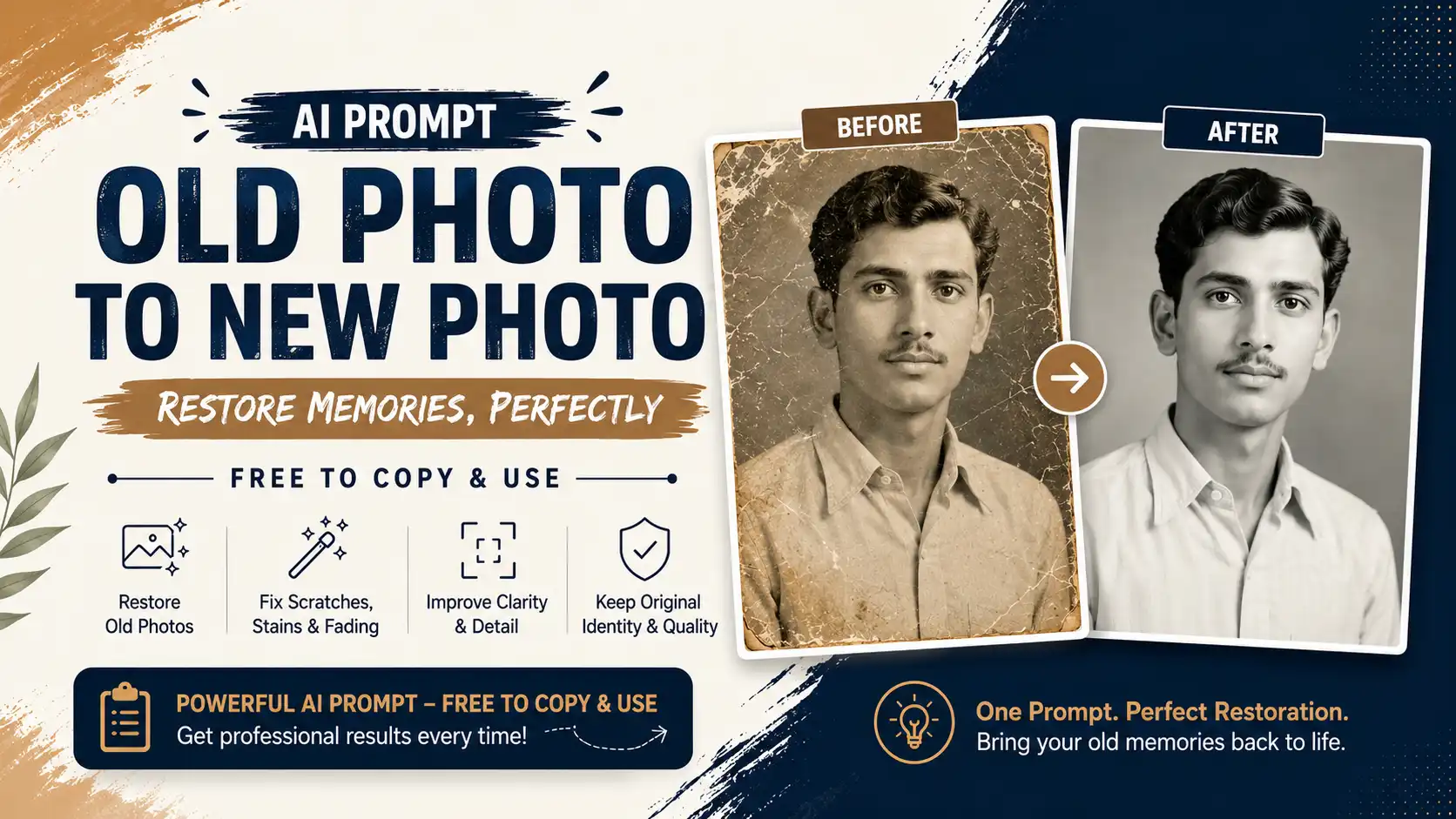
Old Photo to New Photo AI Prompt: Free Copy-Paste AI Photo Prompt (2026 Guide)
Old Photo to New Photo AI Prompt: Free Copy-Paste AI Photo Prompt
Do you have an old, faded, or damaged family photo sitting in a drawer? With the right AI photo prompt, you can turn that scratched, discolored picture into a clean, high-quality image in seconds — without losing the original identity, expression, or memory behind it.
In this guide, you'll find a free copy to use AI prompt specifically built for restoring old photographs, plus tips on how to use it with popular AI image tools.
What Is an AI Photo Prompt?
An AI photo prompt is a detailed text instruction you feed into an AI image tool (like ChatGPT's image generation, Gemini, or other AI photo editors) to guide exactly how it should process your picture. A good photo prompt doesn't just say "make this look better" — it specifies what to fix, what to preserve, and what not to touch.
This matters most when restoring old photos to new photo results, because the goal isn't to create a new image — it's to faithfully repair the one you already have.
Why a Good "Old Photo to New Photo AI Prompt" Matters
Many people try restoring vintage photos with generic prompts like "enhance this old photo" — and end up with results where:
- The person's face looks subtly different (AI "beautifies" or de-ages them)
- Clothing or background details are altered or invented
- Colors become oversaturated or unnatural
- The photo gets cropped, zoomed, or reframed
- Artistic filters are added that weren't part of the original
A precise ai photo prompt avoids all of this by explicitly locking in identity preservation, composition, and historical authenticity while only targeting damage repair — scratches, fading, blur, noise, and discoloration.
Free Copy-Paste AI Photo Prompt for Old Photo Restoration
Below is a free copy to use AI prompt designed for exactly this purpose. Copy it, paste it into your AI tool of choice along with your old photo, and let it restore the image while keeping everything else 100% intact.
Restore this old photograph to look like a modern high-quality photo while preserving 100% of the original identity, facial features, expression, pose, clothing, hairstyle, background composition, framing, and overall scene. Repair all visible damage, including scratches, dust, stains, tears, fading, discoloration, film grain, noise, blur, compression artifacts, and age-related deterioration. Improve sharpness, restore fine facial details, skin texture, hair strands, fabric textures, and background details naturally. Correct exposure, white balance, contrast, highlights, shadows, and colors while keeping the original mood and historical authenticity. If the image is black and white, keep it black and white unless colorization is explicitly requested. If already in color, restore natural and realistic colors without oversaturation. Do NOT generate new objects, remove existing objects, alter facial structure, beautify, de-age, change body proportions, replace clothing, modify the background, crop, zoom, or reinterpret any part of the image. Do not add artistic effects, filters, HDR, painterly styles, or AI-generated details that were not present in the original. Maintain pixel-perfect composition and proportions. Produce a clean, photorealistic, professionally restored image with maximum detail, natural textures, and high-resolution quality suitable for archival preservation and printing.
Simply upload your old photo to your preferred AI image tool alongside this prompt, and it will handle the rest.
How to Use This AI Photo Prompt (Step-by-Step)
- Scan or photograph your old picture in the highest resolution available.
- Open your AI image tool of choice (any tool that supports image-to-image editing works well with this prompt).
- Upload the photo, then paste the prompt above exactly as written.
- Review the output — check that facial identity, clothing, and background remain unchanged.
- Download and save your restored, high-quality version for printing or archiving.
Tips for Better Results with Any Photo Prompt
- Use high-resolution scans. The clearer your input, the more detail the AI can accurately restore.
- Avoid vague instructions. Specific prompts (like the one above) consistently outperform short, generic requests.
- Specify black-and-white vs. color if you want colorization — otherwise, most tools will preserve the original tone.
- Run it twice if needed. If small damage remains, re-running the same prompt often improves results further.
- Keep a backup of the original scan before editing, just in case you want to compare or try a different AI photo prompt later.
More Free AI Photo Prompt Ideas
Once you're comfortable with the old photo to new photo AI prompt above, you can adapt the same structure for other ai photo projects:
- Portrait cleanup prompt — remove minor blemishes without altering facial structure
- Background restoration prompt — repair only the background while preserving the subject untouched
- Colorization prompt — convert black-and-white photos to natural, historically accurate color
- Document photo repair prompt — restore old ID photos, passport photos, or certificates
FAQ: Old Photo to New Photo AI Prompts
Is this AI photo prompt really free to use? Yes — the prompt above is free to copy and use with any compatible AI image tool.
Will the AI change how the person looks? No, if you use the full prompt as written. It explicitly instructs the AI not to alter facial structure, beautify, or de-age the subject.
Can I use this prompt for color photos too? Yes. The prompt is designed to work on both black-and-white and color photos, correcting exposure and color naturally without changing the original tone.
What if my photo is severely damaged? Very badly damaged photos may need multiple passes. Start with the highest resolution scan you have for the best results.
Final Thoughts
A well-written ai photo prompt is the difference between a restoration that looks authentic and one that looks artificially "AI-generated." Use the free old photo to new photo AI prompt above to bring your cherished memories back to life — accurately, respectfully, and in high quality.
Bookmark this photo prompt guide so you always have a reliable, free copy-paste prompt ready whenever you need to restore an old picture.