 uarkova
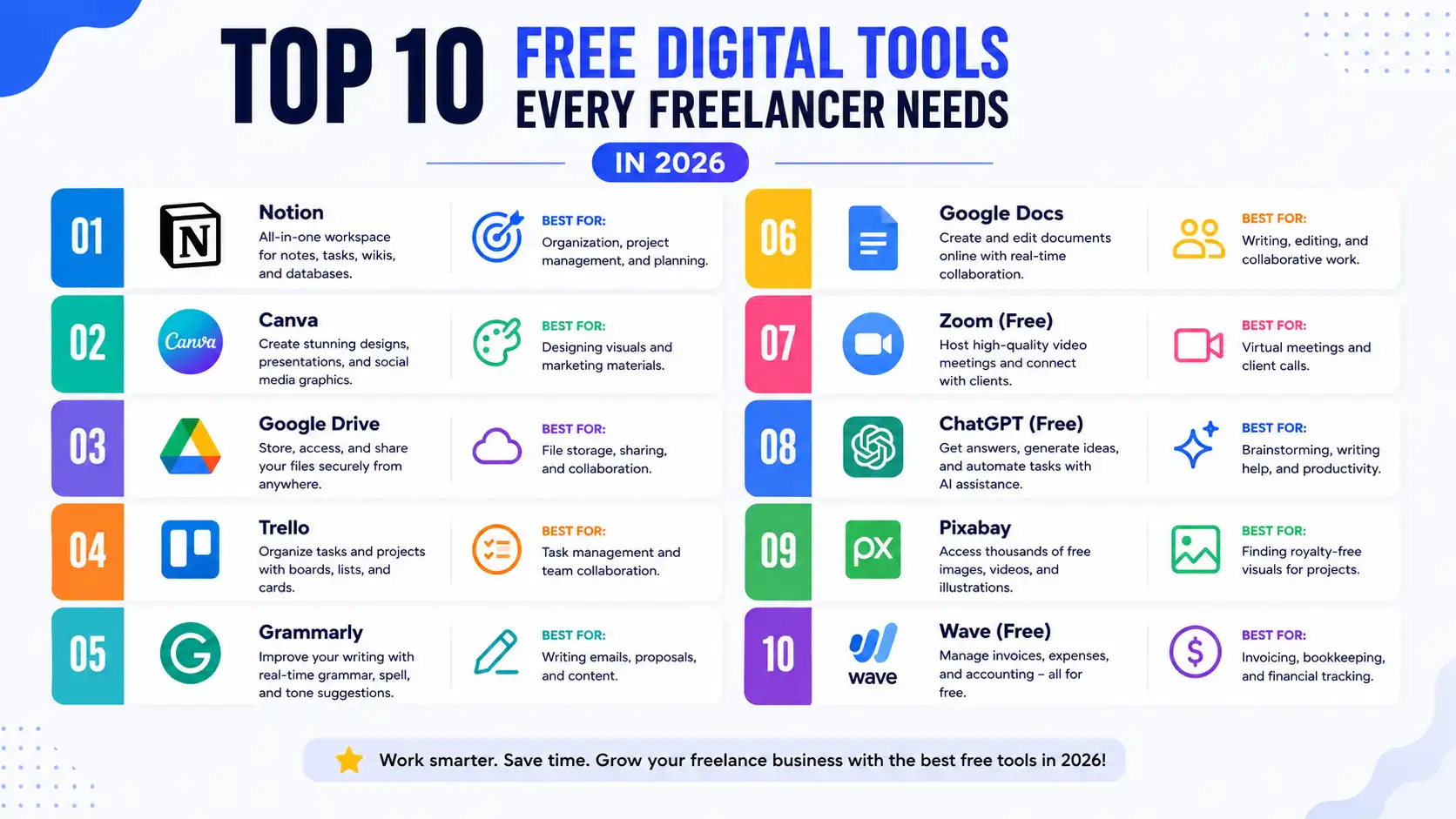
Top 10 Free Digital Tools Every Freelancer Needs in 2026
Top 10 Free Digital Tools Every Freelancer Needs in 2026
Freelancing in 2026 means juggling client files, invoices, portfolios, proposals, and dozens of digital assets every single day — often without the budget for premium software subscriptions. The good news? You don't need to pay for expensive software to stay productive, professional, and organized.
Below is a curated list of the top 10 free digital tools every freelancer needs in 2026, covering everything from image optimization to PDF management. Most of these are browser-based, require no sign-up, and work instantly — perfect for freelancers who value speed and privacy.
1. Image Compressor
Large image files are one of the highest hidden costs for freelancers — they slow down websites, bloat email attachments, and eat up cloud storage. A reliable image compressor lets you shrink JPG and PNG files without sacrificing visible quality, which is essential when delivering portfolio samples or uploading assets to a client's CMS.
Tools like the Quarkova Image Compressor process everything directly in your browser, meaning your files never leave your device — a big plus for freelancers handling sensitive client media.
Why freelancers need it:
- Faster website load times for client projects
- Smaller email attachments
- No upload delays, since processing happens locally
2. PDF Compressor
Contracts, invoices, proposals, and portfolios are almost always shared as PDFs — and bloated PDF files can be a nightmare to email or upload to client portals. A PDF compressor reduces file size while keeping documents readable and professional.
The Quarkova PDF Compressor handles this with high-efficiency recompression, deleting temporary files immediately after your download completes.
Why freelancers need it:
- Meet email attachment size limits
- Faster uploads to client management systems
- Cleaner, smaller files for digital portfolios
3. Two Images to A4 PDF Converter
Whether you're submitting ID documents, combining reference images for a design brief, or creating print-ready layouts, having a tool that merges two images onto a single A4 page is surprisingly useful for freelancers across industries — from designers to virtual assistants handling admin paperwork.
The Quarkova Two Images to A4 PDF tool lets you combine two images side-by-side or top-to-bottom into a clean, print-ready PDF in seconds.
Why freelancers need it:
- Quickly create print-ready document layouts
- Combine reference images for client presentations
- Useful for ID submissions, applications, and admin tasks
4. Image Converter
Different clients, platforms, and content management systems often require different image formats. One day you need a PNG, the next a WebP, and sometimes a vendor only accepts JPG or SVG. An image converter that handles batch conversions saves freelancers from constantly switching between desktop software.
The Quarkova Image Converter supports JPG, PNG, WebP, and SVG formats — and runs entirely in your browser for speed and privacy.
Why freelancers need it:
- Meet platform-specific format requirements instantly
- Batch convert multiple images at once
- No installation or software licensing needed
5. Cloud Storage & File Sharing
Every freelancer needs a reliable place to store and share large files with clients — design assets, video exports, or zipped project folders. Free tiers of cloud storage services remain essential in 2026 for backup and collaboration, especially when working across time zones with international clients.
Why freelancers need it:
- Share large files without email size limits
- Access work from any device
- Automatic backup of client deliverables
6. Time Tracking Software
Whether you bill hourly or just want to understand where your time goes, a free time tracker helps freelancers stay accountable, generate accurate invoices, and identify which projects are actually profitable.
Why freelancers need it:
- Accurate, defensible billing for hourly clients
- Insight into productivity patterns
- Professional time logs for project reports
7. Invoicing Tools
Getting paid on time is one of the biggest challenges for independent professionals. Free invoicing tools let freelancers create branded, professional invoices, track payment status, and send automated reminders — all without monthly fees.
Why freelancers need it:
- Professional appearance builds client trust
- Automated reminders reduce late payments
- Easy record-keeping for tax season
8. QR Code Generator
QR codes have become a staple for freelancers in marketing, events, hospitality, and retail design work. A free QR code generator lets you quickly create codes for portfolios, business cards, payment links, or WiFi sharing at client events.
Why freelancers need it:
- Add interactive elements to print materials
- Share contact info or portfolios instantly
- Useful for marketing and personal branding projects
9. WhatsApp Link Generator
For freelancers who rely on WhatsApp for client communication — especially in regions where it's the primary business messaging app — a click-to-chat link generator with pre-filled messages saves time and improves lead response rates.
Why freelancers need it:
- Streamlines client inquiries from websites or social media
- Pre-filled messages set expectations upfront
- No app installation needed for clients to reach you
10. Note-Taking & Project Management App
Keeping track of multiple clients, deadlines, and deliverables is impossible without a centralized system. Free project management and note-taking tools help freelancers organize tasks, set reminders, and avoid missed deadlines — all of which directly impact client retention.
Why freelancers need it:
- Centralized view of all active projects
- Reduces missed deadlines and miscommunication
- Free tiers are often sufficient for solo freelancers
Final Thoughts
You don't need an expensive software stack to run a successful freelance business in 2026. Browser-based tools like Quarkova's free image and PDF utilities cover many of the day-to-day tasks freelancers face — compressing images, converting formats, and preparing documents — all without logins, fees, or installations.
Bookmark these tools, build them into your workflow, and spend less time fighting with files and more time doing the work that actually pays.
Frequently Asked Questions
Are these tools really free for commercial use?
Yes. Tools like Quarkova's image and PDF utilities are free to use with no account required, making them suitable for client work and commercial projects.
Do free image compressors reduce quality noticeably?
At moderate compression levels (around 80% quality), file size typically drops 50–65% with no visible difference at normal viewing sizes.
Is it safe to use browser-based tools for client files?
Browser-based tools that process files locally (using the Canvas API, for example) never upload your files to a server, making them a privacy-friendly option for sensitive client documents.