
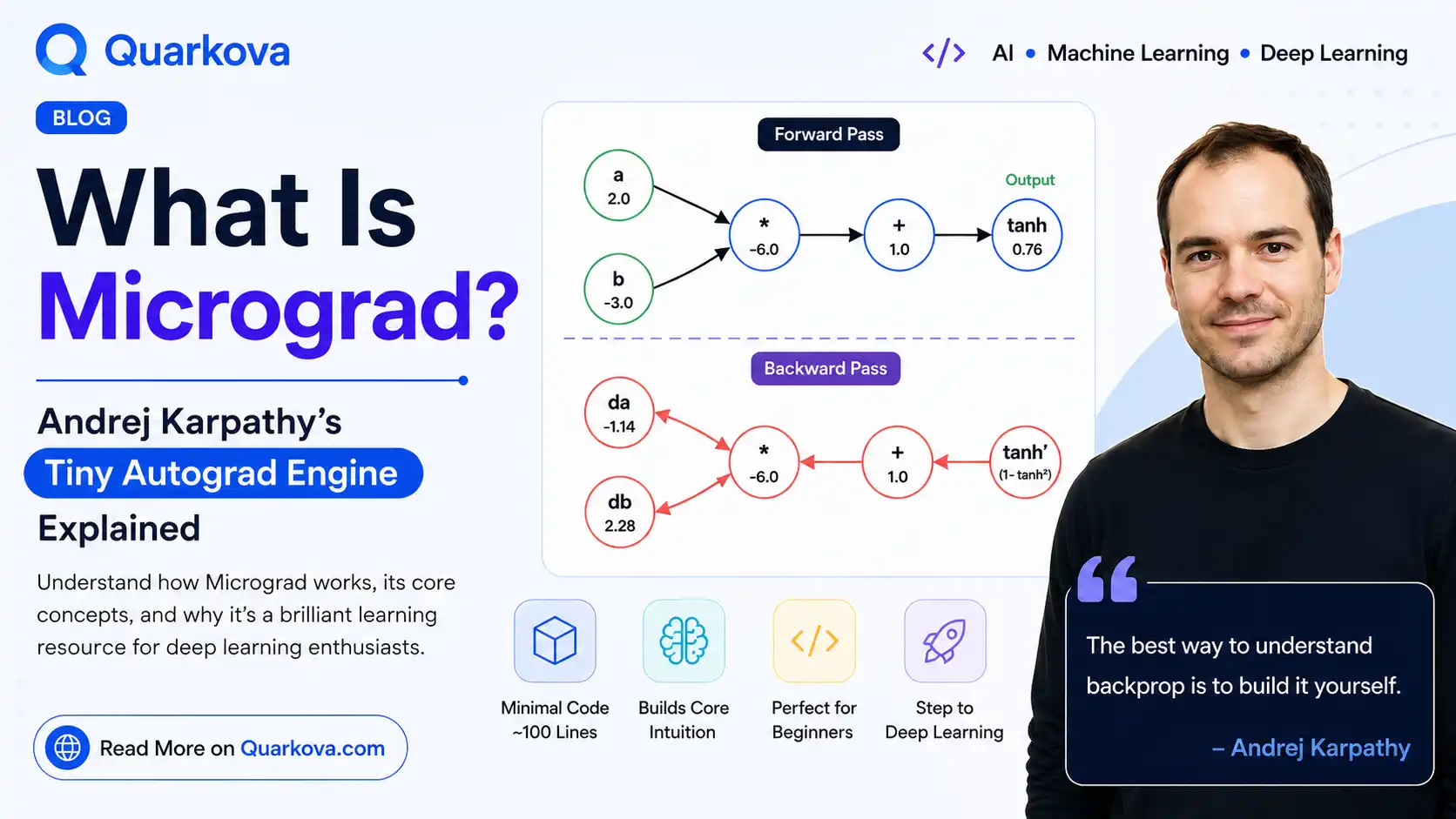
What Is Micrograd? Andrej Karpathy's Tiny Autograd Engine Explained
If you've spent any time learning how neural networks actually work under the hood, you've probably run into micrograd — a small Python project built by AI engineer Andrej Karpathy, former director of AI at Tesla and a founding member of OpenAI. Micrograd strips backpropagation down to its bare essentials: no frameworks, no GPU kernels, just plain Python and a handful of math operations. In this guide, we'll break down what micrograd is, why it's become one of the most recommended starting points for understanding deep learning, and how you can build a version of it yourself.
.backward() automatically computes gradients across an entire expression graph using the chain rule. It's small enough to read in an afternoon, yet it demonstrates the exact same principle that powers PyTorch and TensorFlow.Who Is Andrej Karpathy?
Andrej Karpathy is one of the most recognizable figures in modern AI education. He was a founding member of OpenAI, later led the Autopilot computer vision team at Tesla, and has since focused on making deep learning more understandable through free courses, YouTube lectures, and open-source teaching tools. Micrograd is one of the clearest examples of that mission: a project designed not to be fast or production-ready, but to be understood.
What Problem Does Micrograd Solve?
Modern deep learning frameworks compute gradients automatically through a process called automatic differentiation. This is what lets a neural network "learn" — it lets you compute how much every single weight in the network contributed to the final error, so you know exactly how to adjust each one.
The problem is that libraries like PyTorch hide this machinery behind thousands of lines of optimized code. Micrograd removes all of that noise. It implements the same core idea — reverse-mode automatic differentiation — in roughly 100 lines of readable Python.
The Core Idea: A Value That Remembers Its Own History
At the heart of micrograd is a single class, typically called Value. Every time you do math on a Value — addition, multiplication, an activation function — it doesn't just compute the result. It also records:
- The resulting number (
data) - The operation that produced it (
+,*,tanh, etc.) - The parent
Valueobjects that were used to compute it
This turns ordinary arithmetic into a graph. Once you have that graph, computing gradients is just a matter of walking it backward and applying the chain rule at every step — which is exactly what backpropagation is.
A Minimal Value Class
class Value:
    def __init__(self, data, _children=(), _op=""):
        self.data = data
        self.grad = 0.0
        self._backward = lambda: None
        self._prev = set(_children)
        self._op = _op

    def __add__(self, other):
        other = other if isinstance(other, Value) else Value(other)
        out = Value(self.data + other.data, (self, other), "+")

        def _backward():
            self.grad += out.grad
            other.grad += out.grad
        out._backward = _backward
        return out

    def __mul__(self, other):
        other = other if isinstance(other, Value) else Value(other)
        out = Value(self.data * other.data, (self, other), "*")

        def _backward():
            self.grad += other.data * out.grad
            other.grad += self.data * out.grad
        out._backward = _backward
        return out
Notice that every operation defines its own tiny _backward function. This is the local derivative rule for that operation — addition just passes the gradient through unchanged, while multiplication scales it by the other operand. Each operation only needs to know its own rule; it doesn't need to know anything about the rest of the network.
Walking the Graph Backward
The magic happens in one method: backward(). It sorts every node in the graph so that a node always comes after everything that depends on it, then calls each node's local _backward function in reverse order.
def backward(self):
    topo = []
    visited = set()

    def build_topo(v):
        if v not in visited:
            visited.add(v)
            for child in v._prev:
                build_topo(child)
            topo.append(v)
    build_topo(self)

    self.grad = 1.0
    for v in reversed(topo):
        v._backward()
That's it. That's backpropagation. Everything else — layers, neurons, activation functions — is just convenience code built on top of this one idea.
From Values to Neurons: Building a Tiny Neural Net
Once you have a Value class that supports addition, multiplication, and an activation function, you already have everything needed to build a neuron: a weighted sum of inputs, passed through a non-linearity.
class Neuron:
    def __init__(self, nin):
        self.w = [Value(random.uniform(-1, 1)) for _ in range(nin)]
        self.b = Value(0.0)

    def __call__(self, x):
        act = sum((wi * xi for wi, xi in zip(self.w, x)), self.b)
        return act.tanh()

    def parameters(self):
        return self.w + [self.b]
Stack several neurons into a Layer, and stack several layers into an MLP (multi-layer perceptron), and you have a working neural network — one where every weight update is driven by real, computed gradients rather than a black box.
Why Micrograd Is Worth Studying
| Concept | What Micrograd Shows You |
|---|---|
| Automatic differentiation | How gradients are computed as a graph traversal, not magic |
| Backpropagation | Literally the chain rule, applied node by node |
| Neural network layers | How neurons, layers, and MLPs are just composed math operations |
| Gradient descent | How .grad values are used to update weights step by step |
Because the entire engine fits in one small file, you can set a debugger breakpoint anywhere and watch gradients flow through the graph in real time. That kind of transparency is rare in an ecosystem dominated by heavily optimized, compiled libraries.
A Simple Training Loop
Here's what putting it all together looks like — training a tiny network on a handful of data points using nothing but the Value engine and plain gradient descent:
for step in range(50):
    # forward pass
    ypred = [model(x) for x in xs]
    loss = sum((yout - ygt) ** 2 for ygt, yout in zip(ys, ypred))

    # backward pass
    model.zero_grad()
    loss.backward()

    # gradient descent update
    for p in model.parameters():
        p.data -= 0.05 * p.grad
Four lines of actual logic — forward pass, zero the gradients, backward pass, update the weights — and you've reproduced the essential loop that every deep learning framework runs millions of times per training run.
Frequently Asked Questions
Is micrograd used in production?
No. Micrograd operates on individual scalars rather than tensors, so it's far too slow for real workloads. Its value is entirely educational — it's meant to be read, not deployed.
How is micrograd different from PyTorch?
PyTorch implements the same reverse-mode automatic differentiation concept, but operates on multi-dimensional tensors, runs on GPUs, and is optimized in compiled C++/CUDA code. Micrograd implements the same idea on plain Python floats, trading performance for clarity.
Do I need to know calculus to understand it?
Basic familiarity with derivatives and the chain rule helps, but micrograd is often used specifically to build that intuition. Watching gradients propagate through a small, visible graph is one of the fastest ways to make the chain rule click.
Value class from scratch — even a stripped-down version with just addition, multiplication, and one activation function — is one of the most effective exercises for genuinely understanding how neural networks learn.